
 LARP
LARPMessage #general
 larp is law
Preview
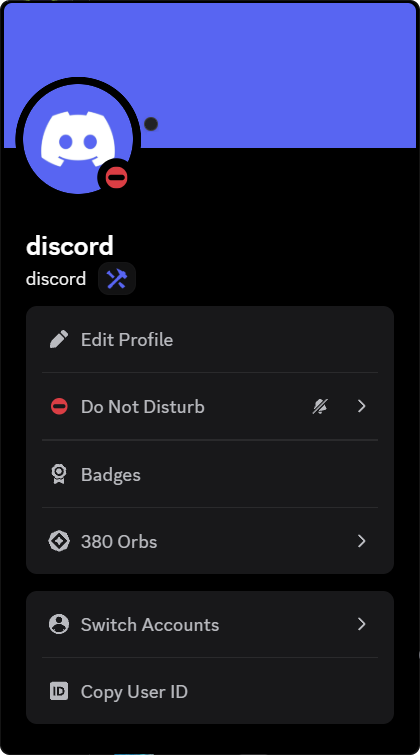
This is what you see.
Larpcord changes what Discord draws on your screen. Your real profile never changes, and nothing is ever sent.
How it works
Three steps. One minute.
Download
Grab
Larpcord.exe. One file — nothing else to install.Install
Open it, pick your Discord and press Install. Discord restarts by itself.
Dress up
Open User Settings → Larpcord and wear whatever you like.
FAQ
Questions, answered.
Can other people see my badges and styles?
Only other Larpcord users, and only while Online is on in Larpcord's settings. They see your look as Larpcord draws it, with a Larpcord badge on your profile so everyone knows. People without Larpcord, and Discord itself, see your real profile exactly as before.
Does Larpcord send anything to Discord?
No. Your real profile on Discord's servers never changes. With Online on, your look (not your messages, password or token) is sent to the Larpcord server so other Larpcord users can see it; switch Online off and it is deleted. Larpcord only reads the badge and shop catalogues the official app already downloads.
Is this allowed?
Client modifications are against Discord's Terms of Service. Larpcord is entirely client-side and sends nothing, but use it knowing that.
How do I remove it?
Open Larpcord.exe and press Uninstall. Discord is restored exactly as it shipped; your Larpcord settings are kept in case you come back.
Does it survive Discord updates?
Yes. Larpcord notices when Discord installs a new version and puts itself back in place. If anything looks off, press Repair.
Download
Ready to larp?
One small installer. Pick your Discord, press Install, and you're dressed up in under a minute.
- SystemWindows 10 & 11
- Works withStable, PTB & Canary
- DownloadLarpcord.exe
- RemovalOne click, any time
 Larpcord Installer
Larpcord InstallerInstall, repair, update or remove Larpcord for each Discord on this computer.
Discord Stable1.0.9264
Larpcord installedDiscord Canary1.0.1042
Not installedClosing Discord.exe…
Installed Larpcord into Discord stable 1.0.9264
Started Discord 1.0.9264